PWA of about 10 MB
Added from the Chrome or Safari menu with no store account, and it updates itself every time you open it.
App for Zuzu Bet Casino: fingerprint and Face ID unlock
Add Zuzu Bet to your home screen as a PWA of about 10 MB, with fingerprint and Face ID unlock and push alerts. It works without Google Play or the App Store.
Inside the web app
PWA of about 10 MB
Added from the Chrome or Safari menu with no store account, and it updates itself every time you open it.
Bottom bar navigation
Casino, Sports, Live, Promotions and Cashier sit in one bar at the bottom of the screen.
Biometric unlock
Fingerprint and Face ID unlock, plus two-factor authentication with Google Authenticator or Authy.
The Zuzu Bet web app on your phone
Add Zuzu Bet to your home screen as a PWA of about 10 MB, with fingerprint and Face ID unlock and push alerts. It works without Google Play or the App Store.
18+ only. Gambling involves the risk of addiction and losing money. Bonus conditions apply.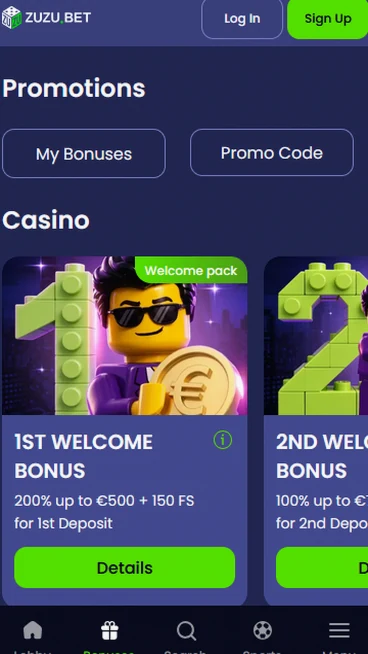
What to expect from the web app
Benefits
Limitations
Device requirements
Android
iOS
Adding the web app in three steps
Using the web app safely
Protect your account
Avoid these actions
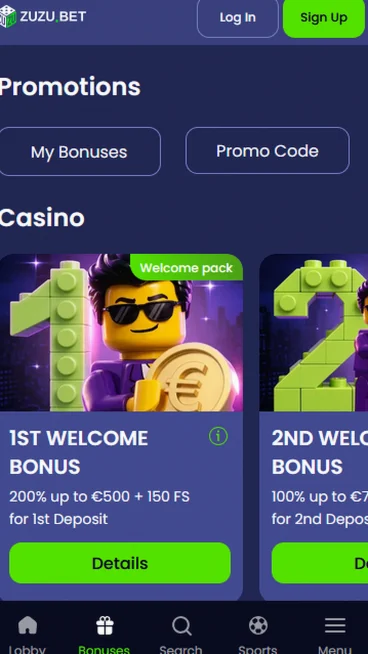
You can open a Zuzubet account from the phone browser or from the installed web app, and the same e-mail and password work in both.
Registration takes about 2 minutes. Enter an e-mail address, a password and AUD as your currency, then your name, date of birth, address and phone number. You must be 18 or older.
Enter your own identity and contact details. These remain relevant when a payment is verified. Registering and creating a home-screen shortcut are separate actions.
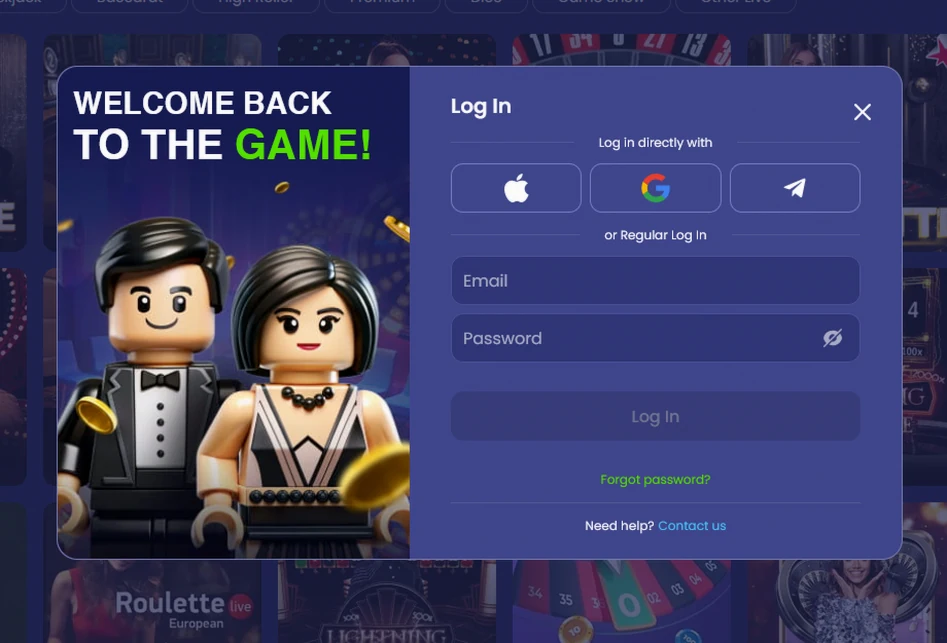
Sign in with e-mail and password, then switch on fingerprint or Face ID unlock for later visits. After five wrong passwords the login locks for 15 minutes.
Select the entry method available in the version you opened. A normal browser tab does not become the installed PWA merely by showing the same lobby. Use the existing customer profile.
The web app needs Android 8.0 with Chrome 100 or iOS 14 with Safari, 2 GB of RAM and 50 MB of free space.
On Android, Chrome 100 on Android 8.0 or later adds the web app from the browser menu.
Review Chrome and Android as separate requirements. An updated operating system does not establish the installed browser version. Look for the shortcut command in the supported menu.
On iPhone, Safari on iOS 14 or later adds the web app through the Share menu.
Open our website directly in Safari. A page embedded in another application may have a different menu. Check the iOS requirement before using Share.
| Requirement | Android | iOS |
|---|---|---|
| Operating system | Android 8.0 | iOS 14 |
| Browser | Chrome 100 | Safari |
| RAM | 2 GB | 2 GB |
| Free space | 50 MB | 50 MB |
| App size | About 10 MB | About 10 MB |
Free storage and working memory refer to different capacities. The PWA size alone does not cover every requirement. Read the complete table against your handset. The table describes the resources needed on the device, not only the size of the shortcut installation.
Our web app is not in Google Play or the App Store, so you add it from the browser menu in a few taps.
First open the Zuzubet website in Chrome. Second, open the browser menu and choose the option to install the app or add it to the home screen. Third, confirm and open the Zuzu Bet icon that appears on your home screen.
First open the Zuzu Bet website in Safari. Second, tap the Share button and choose Add to Home Screen. Third, confirm and open the Zuzu Bet icon.
The Share command adds an icon without an App Store installation file. Open the resulting shortcut afterwards. Your account registration remains separate from this step.
Because the app is a PWA of about 10 MB, it updates itself on launch and works without Google Play or any store account.
Automatic refresh on launch differs from a store update. Start from the installed icon when checking the current version. Unrelated download packages are not part of this route.
The web app opens the same Zuzu Bet lobby, cashier and sportsbook as the browser, with a bottom bar for Casino, Sports, Live, Promotions and Cashier.
The account menu shows your cash balance, your Zuzu Club progress and 12 months of transaction history. Push alerts reach your phone, and fingerprint and Face ID unlock open the app without typing a password.
The account menu separates membership progress from payment history. Cash and reward balances also have different purposes. 18+ only. Full bonus terms apply.
The installed web app adds biometric unlock, push alerts and an icon on your home screen. It also updates itself on launch, so there is no store update to wait for.
The installed shortcut adds device functions to the existing profile. It does not create another balance. Choose the entry point before looking for its authentication options.
The catalogue of about 7,000 games from 24 pokie studios and five live studios is available on your phone, with most pokies open in demo mode.
Big Bass Bonanza from Pragmatic Play has an RTP of 96.71%, Jammin’ Jars from Push Gaming 96.83%, Reactoonz from Play’n GO 96.51%, Le Bandit from Hacksaw Gaming 96.34% and 9 Lions from Wazdan 96.18%.
The tile information identifies studio and game values. RTP is a long-term measure rather than a forecast for your session. A theoretical maximum should not be treated as a likely result.
Crazy Time and Lightning Roulette from Evolution, Mega Wheel from Pragmatic Play Live and Auto Roulette from Ezugi run in the live lobby, with betting limits from $0.30 to $16,000.
Open the named table before checking possible bets. A game show and roulette do not have identical formats. The full catalogue range does not apply at every individual table.
European Roulette, Blackjack and Baccarat from Evoplay and Habanero start from $0.15.
These are digital RNG titles without a dealer stream. Check the rules in the selected game. A familiar category name does not settle every payout or stake detail.
The jackpot rows include Pragmatic Play Daily Drops, Red Tiger Daily Jackpots and jackpot pokies from BGaming and Wazdan.
The programme named at the chosen title identifies its jackpot feature. Network prizes differ from ordinary round results. A pool shown in the lobby is not a promised return.
The cashier in the web app offers the same Welcome Pack of up to EUR 15,000 plus 1,000 free spins as the browser, and the full bonus conditions are on our bonus page.
You choose the pack at your first deposit, starting with 200% up to EUR 500 and 150 free spins on Valley of the Gods from Yggdrasil.
The first-stage reward is not the whole package total. Check the actual cashier selection before depositing. Apply the conditions of that chosen step. 18+ only. Full bonus terms apply.
Push alerts announce the Monday Bonus, which gives 75 free spins on Elvis Frog in Vegas, and the Friday cashback of 5% to 20% by Zuzu Club level. 18+ only. Bonus terms apply.
A push alert announces the named reward rather than accepting it for you. Open the promotion to inspect its trigger. Read the appropriate conditions before payment. 18+ only. Full bonus terms apply.
The cashier in the web app takes PayID, cards, Apple Pay, e-wallets, Neosurf, bank transfer and 11 crypto coins, all against a wallet held in AUD.
PayID from Commonwealth Bank, Westpac, ANZ, NAB, ING Australia, Macquarie and Bendigo Bank starts at $30. Visa, Mastercard, Skrill, Neteller, MiFinity, Neosurf vouchers, Apple Pay and bank transfer to an Australian BSB account start at $30 as well.
Compare support for withdrawals as well as deposits. A deposit-only option does not automatically provide a payout route. Keep the bank or wallet in your own name.
| Method | Deposit | Withdrawal after approval |
|---|---|---|
| PayID | At once | Within 1 working day |
| Visa and Mastercard | At once | 1 to 3 working days |
| Apple Pay | At once | Not possible |
| Skrill and Neteller | At once | Up to 4 hours |
| MiFinity | At once | Up to 2 hours |
| Neosurf | At once | Not possible |
| Bank transfer | 1 working day | 1 to 3 working days |
| Crypto, for example Tether (USDT) or Bitcoin (BTC) | After network confirmations | Up to 1 hour |
Internal approval precedes the method-specific transfer stage. Instant funding does not promise an instant withdrawal request. Inspect the existing status before trying another transaction. A status awaiting internal assessment is different from a transfer already moving through the bank or wallet.
Card data is tokenised by a PCI DSS certified processor and the cashier runs on TLS 1.3. Payouts go back through the deposit method, and deposits from a friend, relative or partner are not allowed.
Tokenisation is about payment-data handling, not permission to share credentials. Verification can still be required for account ownership. Use the requested document route rather than a general chat.
The web app inherits the protection of the Zuzu Bet site and adds device-level unlock on top.
Traffic runs over TLS 1.3 with 256-bit encryption, and our servers are in Frankfurt.
Encryption of the connection is separate from protection of an unlocked device. Sign out when someone else will use the phone. Keep account access private on shared equipment.
Two-factor authentication uses Google Authenticator or Authy, a 6-digit code and ten backup codes.
Store recovery codes separately from the live session. They should remain available when the normal authenticator device is not. An active confirmation code is not something to send another person.
Fingerprint and Face ID unlock protect the installed web app, and an idle session closes after 40 minutes.
The installed version provides the biometric prompt. An inactivity logout differs from a timed block after incorrect passwords. Read the cause before choosing a recovery action.
You reach our team from the web app through the speech-bubble icon, with live chat in English open 24/7.
Live chat covers every hour, senior agents for payments work from 22:00 to 14:00 UTC (next day), and e-mail to [email protected] is answered within 12 hours.
The specialist timetable is different from continuous general chat. Give the visible transaction status for a payment query. Keep account passwords and recovery material out of the message.
You can set daily, weekly and monthly deposit, loss and wager limits, reality checks every 30, 60 or 120 minutes, a time-out from 24 hours to 6 weeks, or self-exclusion from 6 months to permanent. A lower limit applies at once and a higher one after 24 hours. We are not connected to BetStop, so these tools apply to your Zuzu Bet account only.
Zuzu Bet app questions
Android phones need Android 8.0 with Chrome 100, and iPhones need iOS 14 with Safari, with 2 GB of RAM and 50 MB of free space on either.
No, the web app is added from the Chrome or Safari menu, so it works without Google Play or the App Store.
It updates itself each time you launch it, and the app stays at about 10 MB.
Add the Zuzu Bet web app to your phone
Review the ten-deposit welcome offers and their conditions. Reference screenshots show EUR amounts; check your AUD cashier. 18+.
18+ only. Gambling involves the risk of addiction and losing money. Bonus conditions apply.
Your next stop is the Zuzu Bet offer
The offer is opening. Check the terms and regional availability before registering.